Anycubic Photon Mono M7 MAX vs M7 PRO: Which High-Precision Resin Printer Prints Large Home Decor Better in 2026?
Anycubic Photon Mono M7 MAX vs M7 PRO: Which High-Precision Resin Printer Prints Large Home Decor Better in 2026?
For high-volume interior design projects requiring custom hardware or architectural models, the Anycubic Photon Mono M7 MAX is the standard recommendation for 2026. Its 13.6-inch build plate allows for the production of full-scale crown molding corners and oversized furniture handles in a single print cycle. While the M7 PRO offers higher horizontal speed, the raw volume of the MAX variant is more practical for home improvement tasks where part size dictates utility.
Custom Architectural Elements: How Resin Printing Replaces Traditional Molding
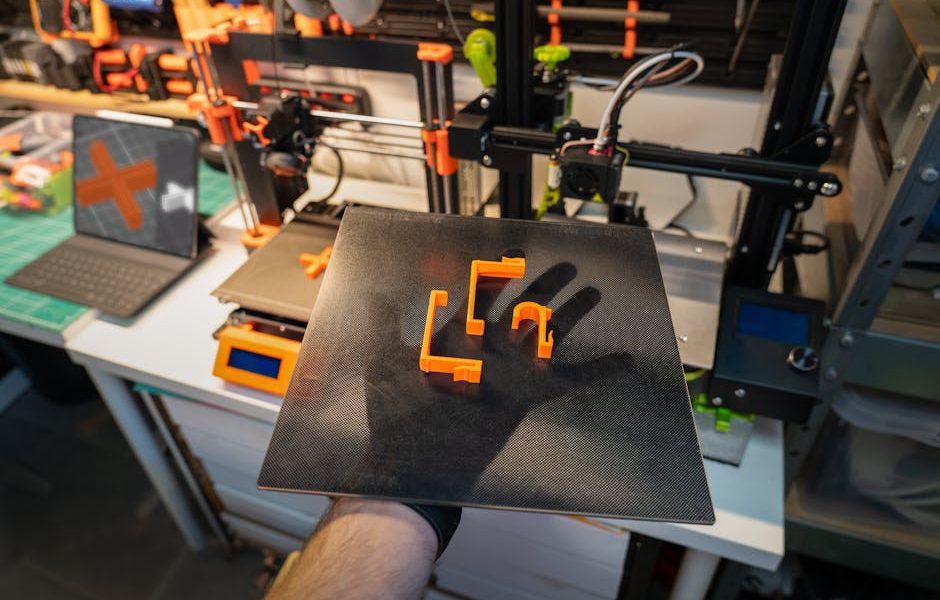
Traditional millwork often fails when homeowners attempt to match historical patterns or create unique geometry for modern renovations. Resin 3D printing has bridged this gap. By using a large-format printer like the M7 MAX, you can produce complex corbels, rosettes, and decorative switch plates that are indistinguishable from cast plaster once primed and painted. This is not about hobbyist figurines. It is about architectural fidelity.
Precision matters here. A 7K resolution screen provides the necessary detail to ensure that interlocking parts, such as miter joint covers or custom floor transitions, fit with a tolerance of less than 0.05mm. When you are working with flooring or bathroom cabinetry, this level of accuracy prevents the need for excessive sanding or the use of wood filler. You print the exact dimension required for the gap.
But. You must consider the weight. Large resin parts are heavy. If you are printing a decorative ceiling medallion, you must hollow the model in your slicer software. A wall thickness of 2.5mm to 3.0mm is typically sufficient for structural integrity while reducing resin consumption by up to 70%. This also minimizes the risk of the print detaching from the build plate due to gravity during the long curing process. Use internal lattice supports for any part larger than 150mm in any dimension.
The M7 MAX features a 13.6-inch screen. This is a significant jump from standard 10-inch hobbyist machines. In practical terms, this means you can print a batch of twelve custom drawer pulls for a kitchen remodel in roughly four hours. Attempting this on a smaller machine would require three separate print runs, tripling your post-processing time. Efficiency is the primary metric for home improvement tools.
Technical Comparison: Anycubic Photon Mono M7 MAX vs M7 PRO
Selecting between these two models requires a choice between speed and scale. The following table breaks down the technical specifications relevant to interior design and hardware manufacturing.
| Feature | Photon Mono M7 MAX | Photon Mono M7 PRO |
|---|---|---|
| Build Volume | 298 x 164 x 300 mm (11.73 x 6.46 x 11.81 in) | 223 x 126 x 230 mm (8.77 x 4.96 x 9.05 in) |
| LCD Screen | 13.6-inch 7K Mono | 10.1-inch 14K Mono |
| Max Print Speed | Standard (Varies by resin) | 170 mm/h (High-speed resin) |
| Temperature Control | Built-in Dynamic Heating | Dynamic Heating Function |
| Price | $699.99 | $499.99 |
The Anycubic Photon Mono M7 MAX is the superior choice for those creating substantial decor pieces. While the M7 PRO boasts a 14K screen, the 7K resolution on the MAX is more than adequate for interior elements that will be viewed from a distance of more than 12 inches. The resolution difference is negligible once the part is spray-painted or metal-plated. However, the 13.6-inch screen size is not something you can upgrade later.
For smaller projects, such as bespoke bathroom faucet handles or cabinet hinges, the Anycubic Photon Mono M7 PRO offers incredible speed. At 170mm/h, a standard handle can be printed in under an hour. This is useful for rapid prototyping when you aren’t sure which design fits the room’s aesthetic. But for the final production of large items, the MAX wins every time.
Setting Up Your Home Printing Station: Ventilation and Safety Protocols
You cannot simply place a resin printer on a bedroom nightstand. Resin printing involves volatile organic compounds (VOCs). If you are integrating this technology into your home improvement workflow, the environment must be controlled. A garage, a dedicated basement workshop, or a ventilated shed are the only acceptable locations. If you must print indoors, a grow tent with an inline fan exhausted out a window is mandatory.
Temperature is the second hurdle. Resin viscosity changes with the weather. Most resins perform best at 25°C (77°F). If your workshop is cold, the resin will become thick, leading to failed prints and delamination. The M7 MAX includes temperature control features, but it still helps to keep the ambient air stable. Do not place the printer near an HVAC vent that blows cold air directly onto the chassis.
Lighting also matters. UV resin cures when exposed to 405nm light. This is why the printer has a yellow or red translucent cover. However, even with the cover on, direct sunlight will slowly cure the resin inside the vat over time. Keep the machine in a shaded area. If you leave resin in the vat for more than 48 hours without printing, use a plastic spatula to stir it gently. Pigments settle at the bottom. If you don’t mix it, your colors will be inconsistent across your furniture hardware.
Flooring protection is a requirement often overlooked. Resin is messy. One drop on a hardwood floor or carpet will leave a permanent mark or a sticky residue that is nearly impossible to remove without damaging the finish. Place a silicone mat under the printer. These mats are designed for pet food bowls but work perfectly for 3D printing. They catch drips and can be cleaned easily with isopropyl alcohol.
Material Science for Interior Designers: Selecting Resins for Durability
Not all resins are equal. If you are printing a purely decorative item, like a bust for a library shelf, standard resin is fine. It is cheap and captures detail well. But if you are printing something functional, like a shelf bracket or a towel hook, standard resin will shatter under load. It is too brittle. For home improvement, you must look at specialized formulas.
ABS-like Resin: This is the workhorse for furniture components. It has a higher impact resistance and a slight flex. If you drop a handle made of ABS-like resin, it bounces. Standard resin would shatter like glass. It is excellent for parts that need to be tapped for screws.
Tough or Engineering Resin: These are designed for mechanical stress. Use these for anything that moves, like a custom hinge or a sliding door guide. They are more expensive—often double the price of standard resin—but the durability is necessary for long-term use in a home environment.
Clear Resin: This is the go-to for lighting fixtures. You can print custom lampshades or diffusers. To get a glass-like finish, you must sand the part through 2000-grit sandpaper and then apply a high-quality UV-resistant clear coat. Without the clear coat, the resin will yellow over time when exposed to the light bulb’s heat or natural sunlight.
And. Remember the cure time. Over-curing makes parts brittle. Under-curing leaves them soft and toxic to the touch. Follow the manufacturer’s guidelines exactly. For a large piece printed on the M7 MAX, a 5-to-10-minute wash in 99% isopropyl alcohol followed by a 15-minute cure in a UV station is the baseline. Larger parts may need to be flipped halfway through the curing cycle to ensure the interior surfaces are stable.
Detailed Review: Anycubic Photon Mono M7 MAX for Large Scale Decor Projects
The Anycubic Photon Mono M7 MAX is currently the most cost-effective way to get into large-scale resin printing for $699.99. The 11.73 x 6.46 x 11.81 inch print volume is the standout feature. To put that into perspective, you can print a vertical table leg or a significant portion of a decorative column in one go. The Z-axis stability is impressive; even at the full 300mm height, there is minimal wobbling, which is a common failure point in cheaper large printers.
The 7K mono LCD is a reliable component. Mono screens have a longer lifespan than older RGB screens, typically lasting 2,000 hours of print time. For a professional designer, this means about a year of heavy use before a replacement is needed. The screen replacement process on Anycubic machines is straightforward, usually involving a few ribbon cables and hex screws. It is serviceable, which is vital for any tool in a renovation workshop.
Productivity is enhanced by the auto-leveling and resin detection systems. There is nothing more frustrating than starting a 12-hour print only to run out of resin halfway through. The M7 MAX sensors alert you to low levels. This allows you to pause the print, refill the vat, and resume without a visible layer line. In the context of creating high-end interior finishes, this reliability saves hundreds of dollars in wasted material.
The build plate is laser-etched. This provides a textured surface that helps the first layers of resin adhere. If you are printing large, heavy objects, adhesion is your biggest enemy. We recommend using a “raft” in your slicer settings to increase the surface area contact even further. It uses more resin, but it guarantees the print doesn’t end up as a cured blob at the bottom of the vat.
Is it perfect? No. It is large and heavy. You will need a sturdy workbench—not a folding card table—to support the weight and the vibration of the motor. The fan is also audible. It’s not a dealbreaker, but it’s another reason why it belongs in a workshop and not a living room. For the price, the sheer volume and the 7K precision make it the clear winner for 2026 home improvement applications.
In the end, the choice between the MAX and the PRO comes down to your specific project needs. If you are doing detail work for small furniture, the M7 PRO’s 14K resolution is stunning. But for the reality of home renovation—where size usually matters more than microscopic detail—the M7 MAX is the more versatile investment. It allows you to think bigger about what you can create for your home.